A comfortable home office depends on more than a stylish desk and a fast computer. Light affects how clearly you read, how your eyes feel, and how long you can work without unnecessary strain. If you are asking, “how many lumens do i need for a home office,” the practical answer usually falls between 3,000 and 6,000 total lumens. This range suits a small or medium workspace with general ceiling lighting and a focused desk lamp.
Room size, wall color, window placement, and screen use all change the result. A 100-square-foot office with pale walls may feel bright with fewer lumens. A darker room may need more. I have found that a desk lamp aimed directly at paperwork can create sharp reflections on a monitor, even when the room seems well lit. That detail is easy to miss. Use layered lighting instead: soft overhead light, task lighting near the keyboard, and natural daylight from the side. Keep the lamp slightly above eye level.
There is no perfect number.
Professional lighting guidance often recommends around 300 to 500 lux for office tasks, while lumens measure the light produced by a bulb or fixture. These measurements are related, but they are not identical. A bright bulb cannot fix poor placement. Start with moderate brightness, then adjust after several work sessions. Notice eye fatigue, screen glare, and dark corners. Your ideal setup may require fewer lumens than expected, or a second smaller lamp instead of one harsh fixture. This guide explains five practical tips for choosing comfortable, efficient home-office lighting.
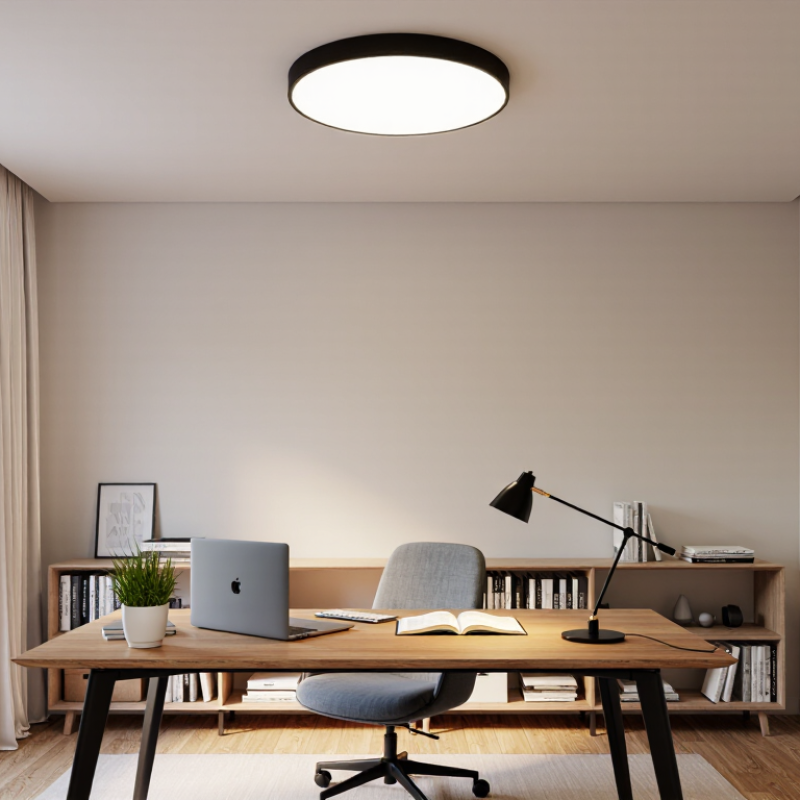
Lumens describe the total amount of light a lamp produces, while lux describes light reaching a surface. This difference matters in a home office. A room may have plenty of lumens but still leave your keyboard dim. For an average small office, 1,500 to 3,000 lumens can provide useful ambient lighting. A desk lamp may add another 400 to 800 lumens. These figures are starting points, not strict rules.
Tip one: measure the room and notice its wall colors. Dark walls absorb more light. Tip two: combine ceiling lighting with focused desk lighting. Layered light reduces eye strain during long reading sessions. Tip three: place the task light beside your writing hand. This helps prevent shadows across notebooks. I once placed mine behind the monitor. The screen looked fine, but my notes stayed gloomy.
Tip four: control glare before increasing brightness. Keep bulbs out of your direct sightline, and avoid reflections on the screen. Neutral white light, around 3,500 to 4,500 kelvins, often supports focused daytime work. Tip five: test the setup at different times. Morning daylight can make a weak lamp seem adequate. Evening work reveals the problem. Sit at the desk for twenty minutes, inspect small text, and adjust the lamp angle. My first estimate was too bright, and the room felt harsh. More light was not automatically better.
| Lighting Area or Tip | Recommended Illuminance | Example Space or Task | Estimated Total Lumens* | Practical Recommendation |
|---|---|---|---|---|
| 1. General room lighting | 100–200 lux | Ambient lighting for walking and general activities | 1,000–2,000 lm for a 10 m² room | Use evenly distributed ceiling or indirect lighting to reduce harsh shadows. |
| 2. Computer and desk work | 300–500 lux | Typing, reading documents, video calls, and routine office work | 3,000–5,000 lm for a 10 m² room | Combine ambient lighting with a well-positioned desk lamp or task light. |
| 3. Detailed visual work | 500–750 lux | Fine drawing, technical plans, detailed crafts, or precision paperwork | 5,000–7,500 lm for a 10 m² room | Add focused task lighting rather than making the entire room excessively bright. |
| 4. Small home office | 300–500 lux | Approximately 6 m², one desk, and limited storage | 1,800–3,000 lm | A dimmable overhead light plus a 500–1,000 lumen desk lamp is often practical. |
| 5. Medium home office | 300–500 lux | Approximately 10 m², one or two workstations | 3,000–5,000 lm | Use multiple light sources to avoid bright spots and dark corners. |
| 6. Large home office | 300–500 lux | Approximately 15 m², multiple desks, shelving, or meeting space | 4,500–7,500 lm | Zone the room with separate controls for desks, storage, and presentation areas. |
| 7. Screen comfort | Balanced, glare-free lighting | Monitor-based work for several hours | Depends on room size and layout | Place lights beside or behind the monitor, not directly in front of the screen or in its reflection path. |
| 8. Daylight management | Adjust artificial light as needed | Office with windows or strong outdoor light | May require fewer electric lumens during the day | Use blinds, curtains, or adjustable lighting to control glare and changing daylight levels. |
| 9. Color temperature | About 3,000–4,000 K | General office work and a comfortable home environment | Not applicable to lumen quantity | Choose warmer light for relaxation and neutral white light for alert, focused work. |
| 10. Lumen calculation | Lumens = lux × room area | Estimating the total light output required | Example: 500 lux × 10 m² = 5,000 lm | Treat the result as a starting point because ceiling height, wall color, fixture efficiency, and glare affect the final choice. |
*Estimated total lumens are calculated from the recommended illuminance multiplied by floor area. Actual lighting needs vary with room reflectance, fixture placement, daylight, and personal comfort.
Lumens measure the total light produced by a lamp. Lux measures light reaching a desk, keyboard, or other surface. A bright room can still have a dim workspace.
A small office often needs about 1,500–3,000 lumens for general lighting. A desk lamp may add another 400–800 lumens. These figures are starting points, not fixed rules.
Measure the room’s length and width in meters. Multiply them, then multiply the area by roughly 300–500 lux. A 120-square-foot room covers about 11.1 square meters. At 400 lux, it needs around 4,440 lumens.
Yes. Dark walls absorb more light. Add roughly 15–25% to your estimate when the room feels visually heavy. My calculation can look correct, yet one shaded corner remains uncomfortable.
Usually, several moderate lights work better. Combine overhead lighting with focused desk lighting. This arrangement creates fewer harsh shadows across notebooks and keyboards.
Place it beside your writing hand. This helps prevent shadows across your notes. Avoid placing it directly behind the monitor. Your screen may look clear, while the paperwork stays gloomy.
Neutral white light around 3,500–4,500 kelvins often suits daytime work. Keep the bulb outside your direct sightline. Reflections on the screen can make bright lighting feel tiring.
Test the setup at different times, especially at night. Sit at the desk for twenty to thirty minutes. Inspect small text and adjust the lamp angle. A phone light-meter app can help, but its readings are imperfect. Your eyes may notice a dim corner first.
Creating a comfortable home office starts with understanding lumens, the measure of visible light. If you are wondering, “how many lumens do i need for a home office,” consider the room’s size, desk dimensions, ceiling height, and the type of work you do. General office activities may need moderate overall brightness, while reading, writing, drawing, or detailed tasks often require additional focused light. Light-colored walls can make a space feel brighter, whereas dark finishes may require more illumination.
The best setup combines ceiling or room lighting with a well-positioned desk lamp to create even coverage without harsh shadows. Use natural daylight when available, but control glare on computer screens with curtains, blinds, or thoughtful desk placement. Avoid placing bright lights directly behind or in front of the monitor, and choose adjustable lighting so brightness can change throughout the day. A balanced combination of total lumens, task lighting, and glare control can support visual comfort and productivity.

 PureRay Light